



Zumospin Login
Returning to Zumospin should feel as familiar as the last time you played. Use the Zumospin login to continue with the profile you created during registration and return to the casino without setting anything up again. Your personal details and preferences stay connected with the same profile each time you sign in.


Zumospin Registration
Registration opens full access to the Zumospin casino experience. After registration, the full Zumospin game library becomes available, with more than 6,000 titles to choose from. This gives players from the Netherlands plenty of choice whether they prefer familiar casino formats or want to try something new.
New players can also claim the Zumo Spin welcome bonus available after registration. Beyond the first offer, registered players can take part in:
- regular casino promotions;
- special offers for existing players;
- ongoing events and campaigns;
- activities connected with selected games.
Each promotion or event can have its own conditions, so check the applicable terms before taking part.
How to Set Up Your Zumospin Account
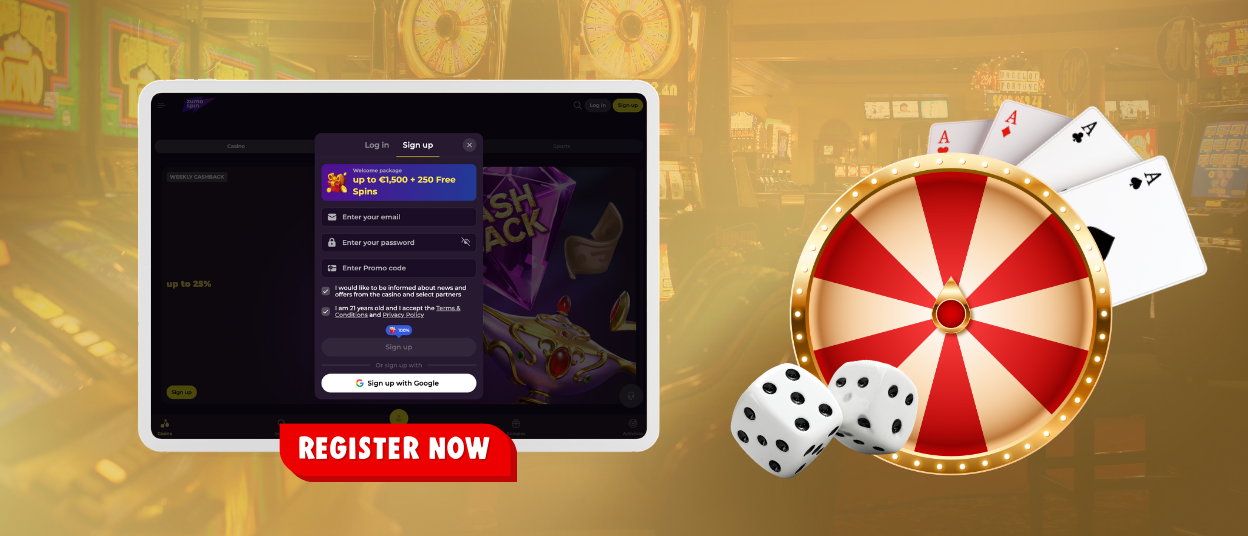
The first registration form asks for your email address and password. Confirm the Terms and Conditions, then select “Sign Up” to create your login details.
We will then ask for your:
- first and last name;
- date of birth;
- phone number.
Check the details before selecting “Save”. Use an active email address and make sure your personal information is entered correctly, as it will also be used during verification.
Zumospin Login and Account Management
To sign in to Zumospin, select “Log in” in the website header. Enter the email address and password connected with your registration, then submit the form. After a successful login, the personal area becomes available.
From there, you can:
- check your current balance;
- review transaction history;
- view or update personal details where editing is available;
- move between the Casino and Sports sections.
Keep your contact information current. If your email address or phone number changes, update the relevant information where possible or contact our support team for assistance.
Responsible gaming controls are also available from the personal area. They allow players to manage limits and keep a clearer view of their activity while using the platform.
Common Zumo Spin Login Problems
Your Zumospin profile remains linked to the login details set during registration. If access does not work as expected, there is usually no need to create a new profile or change several settings at once.
If you cannot sign in, use these checks before contacting us:
| What happens | What to check |
| Zumo Spin does not recognize your email | Make sure you are using the address linked to your profile and check it for spelling errors or extra spaces. |
| Your password is not accepted | Enter your current password manually. Check Caps Lock and the keyboard language if the password still does not work. |
| The browser keeps filling in old details | Delete the saved login entry and enter your current email and password again. |
| Nothing happens after you select “Log in” | Refresh the page, enter your details again, and resubmit the form. |
| You still cannot access your profile | Contact our support team. We can check the existing profile and help with access. |
A login issue should not lead to a second registration. Players should continue using the profile already connected with their personal details.
Forgot Your Password?
If you forget your password, use the recovery option from the Zumospin login area:
- Select the password recovery option.
- Enter the email address used for registration.
- Open the recovery message sent to that mailbox.
- Use the link in the email to create a new password.
If the message does not arrive, check your spam or promotions folder before sending another request. If you no longer have access to the registered mailbox, contact our support team so we can help with the next step.
Verification at Zumospin Casino
Verification is required before you can play for real money at Zumospin Casino. We use it to confirm the personal details linked to your profile and match them with your documents.
The verification data includes:
- full name;
- date of birth;
- permanent residence address;
- identification number.
Upload a valid passport or ID card to confirm your identity. For your address, we accept a utility bill or bank statement from the last six months. The name and address should match your Zumo Spin profile; if they differ, we may need another document.
FAQ
How long does verification take?
Our KYC team reviews your documents within 24 hours. If we need more information to finish the check, we will contact you by email.
What does “Temporarily Approved” mean?
If your verification shows “Temporarily Approved,” we have received your documents and are checking them. You do not need to do anything unless we contact you.
What happens if I do not log in for a long time?
After 12 consecutive months without a login, Zumospin treats the profile as dormant. If a positive balance remains, the dormant profile rules in our Terms and Conditions apply.
Can I close my Zumo Spin profile?
Yes. If you decide to close your profile, contact us with the request. We may ask you to confirm your identity before we complete the closure.
Can I change the email or phone number linked to my profile?
Yes. If your email address or phone number changes, keep the details in your Zumospin profile up to date. If you cannot edit them yourself, contact us and we’ll update them after confirming your details.


